


Help centreCheckMyEmail
Install CheckMyEmail
Add CheckMyEmail to Chrome and pin it. It finds every Gmail account signed in to your browser — no sign-in or setup needed.
Quick answer: Add CheckMyEmail from the Chrome Web Store, pin its icon (puzzle-piece Extensions icon → pin CheckMyEmail), then click the icon and click Allow. It finds every Gmail account signed in to this Chrome profile by itself — no account or password needed.
CheckMyEmail is a free Chrome extension from TrackMy.Email that shows new Gmail at a glance: an unread count on its toolbar icon, desktop alerts and a quick inbox. Installing takes about a minute and needs no account.
What you need
- Google Chrome on your computer.
- At least one Gmail or Google Workspace account signed in to Gmail in this Chrome profile.
Add it to Chrome
- Open CheckMyEmail in the Chrome Web Store and click Add to Chrome, then Add extension.
- Click the puzzle-piece Extensions icon in Chrome’s toolbar and click the pin next to CheckMyEmail, so its icon and unread count are always visible.
- A welcome page opens. You can close it.
Allow it to check your Gmail
Click the CheckMyEmail icon. The first time, it explains what it reads from Gmail and that it stays in your browser. Click Allow ① — nothing is read before you do.
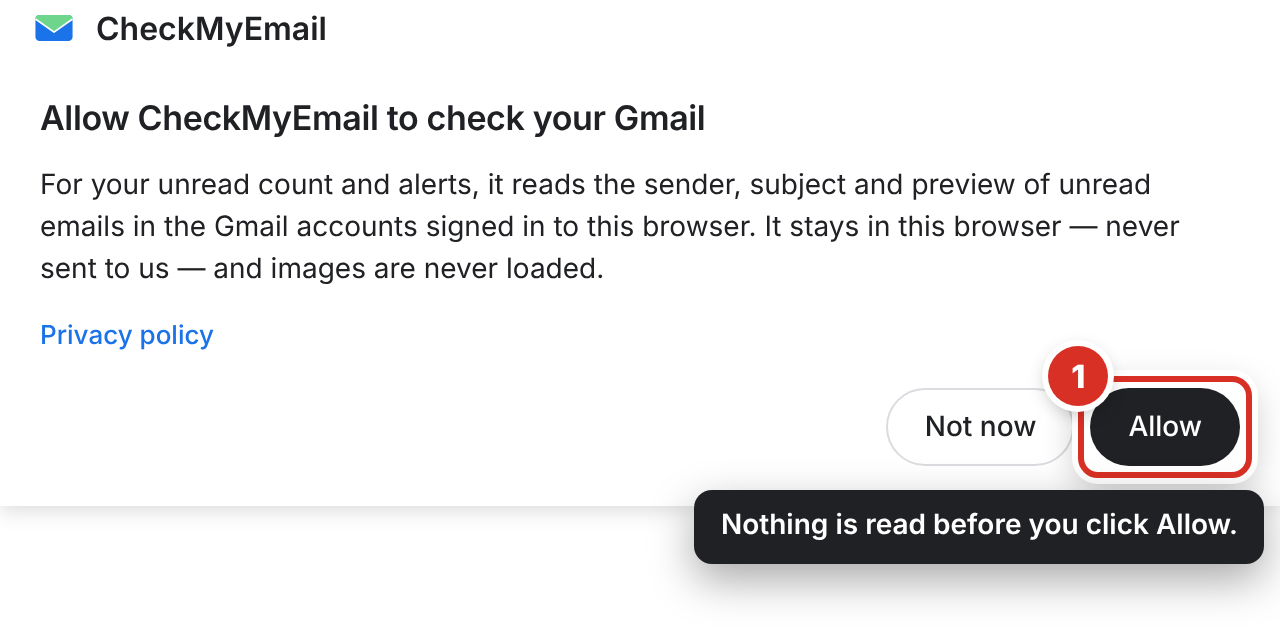
It finds your accounts for you
Your unread emails appear ②, one Gmail account at a time — switch accounts with the round buttons on the left. Every Gmail account signed in to this browser is included; there is nothing to connect or type in.
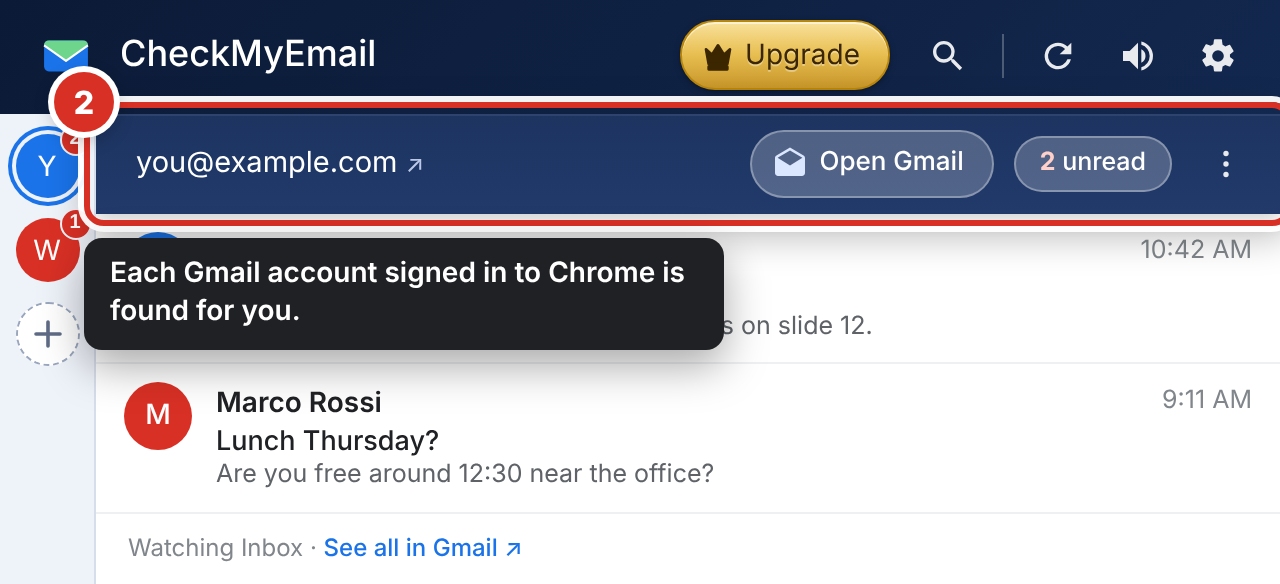
Out of the box, CheckMyEmail counts every unread email in your inbox. Prefer email from people only? Choose Primary only in Settings → Inbox → Count (Settings).
What happens next
- CheckMyEmail checks Gmail about every 30 seconds while Chrome is open.
- Emails that were already unread when you installed it are counted but don’t pop up. You get an alert for each new email from now on. See Desktop alerts.
Still stuck? Email [email protected].