


Help centreUsing it
The “Sent with TrackMy.Email” badge
What the small “Sent with TrackMy.Email” badge at the end of your emails is, and how to remove it.
Quick answer: Free-plan emails end with a small “Sent with TrackMy.Email” badge. On Pro it’s off by default; to change it, use TrackMy.Email icon → ⚙ Settings → Tracking → “Sent with TrackMy.Email” badge, or Signature badge on your account page — the same setting.
On the Free plan, tracked emails end with a small “Sent with TrackMy.Email” badge with our logo. Pro removes it — on Pro it’s off by default.
Where to find it
- Click the TrackMy.Email icon in the Chrome toolbar, then the settings icon (⚙).
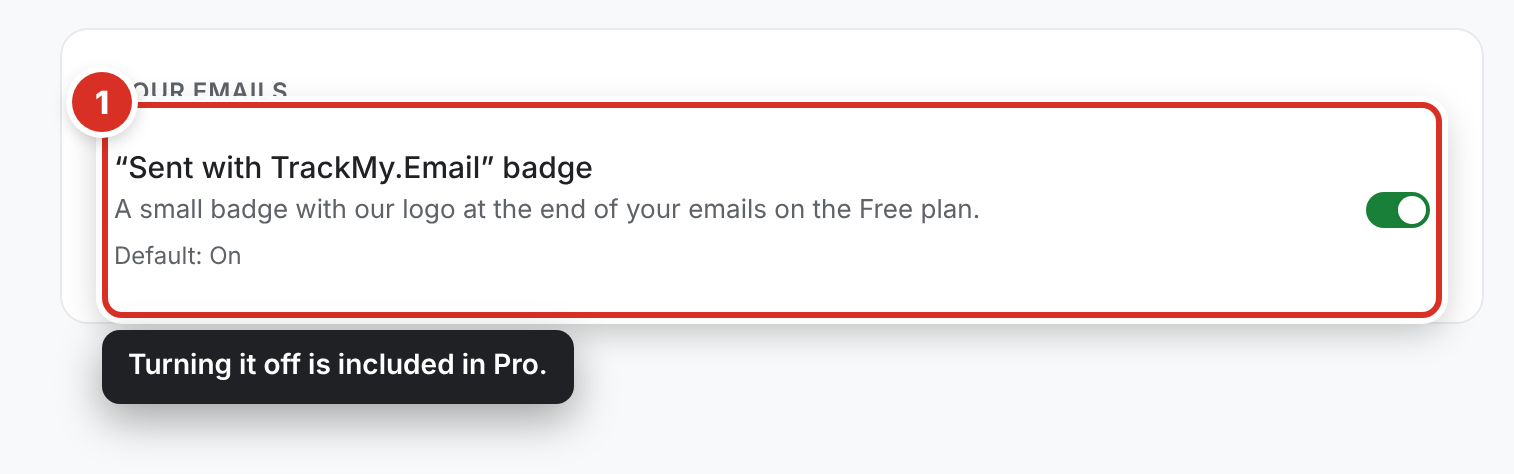
- On the Tracking tab, under Your emails, the setting is “Sent with TrackMy.Email” badge ① — on by default.
Remove it
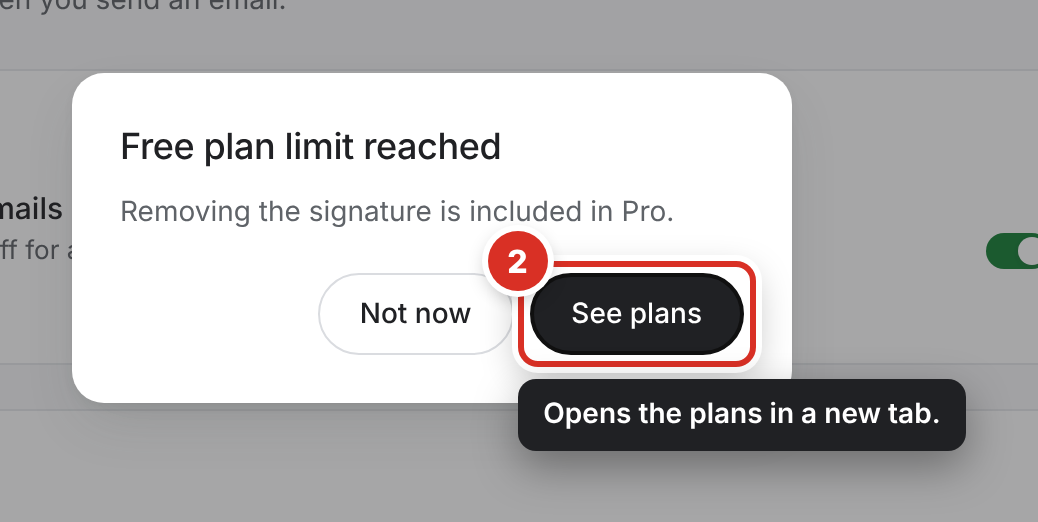
Switching the badge off is included in Pro. On the Free plan you see Free plan limit reached — click See plans ② to compare plans; checkout opens in a new tab.
Once you’re on Pro, new emails go out without the badge automatically (you can switch it back on). You can also switch it off on your account page → Signature badge — the same setting, so it applies to the Chrome extension and the Gmail add-on alike.
Still stuck? Email [email protected].