



Help centreUsing it
Turn tracking off for one email
Send a single email without a tracker, or start every new email with tracking off.
Quick answer: For one email: click Turn off next to Tracking on at the bottom of the compose window before you send. For every new email: switch off TrackMy.Email icon → ⚙ Settings → Tracking → Track new emails (on by default), or the Tracking switch in the toolbar popup.
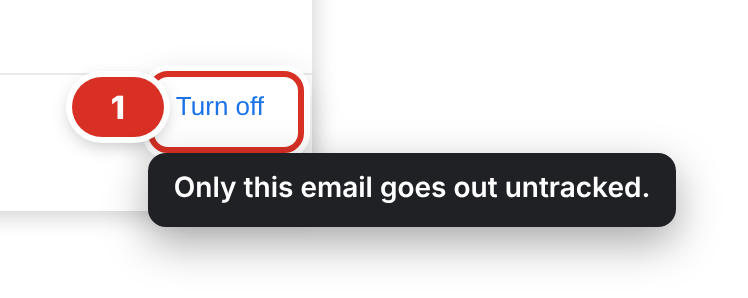
Click Turn off in the compose window to send that one email without a tracker.
For one email
- In the compose window, find Tracking on at the bottom.
- Click Turn off ①. It now says Tracking off — this email goes out untracked.
- Click Turn on if you change your mind before sending.
For every new email
- Click the TrackMy.Email icon in the Chrome toolbar, then the settings icon (⚙).
- On the Tracking tab, switch off Track new emails ② (on by default).
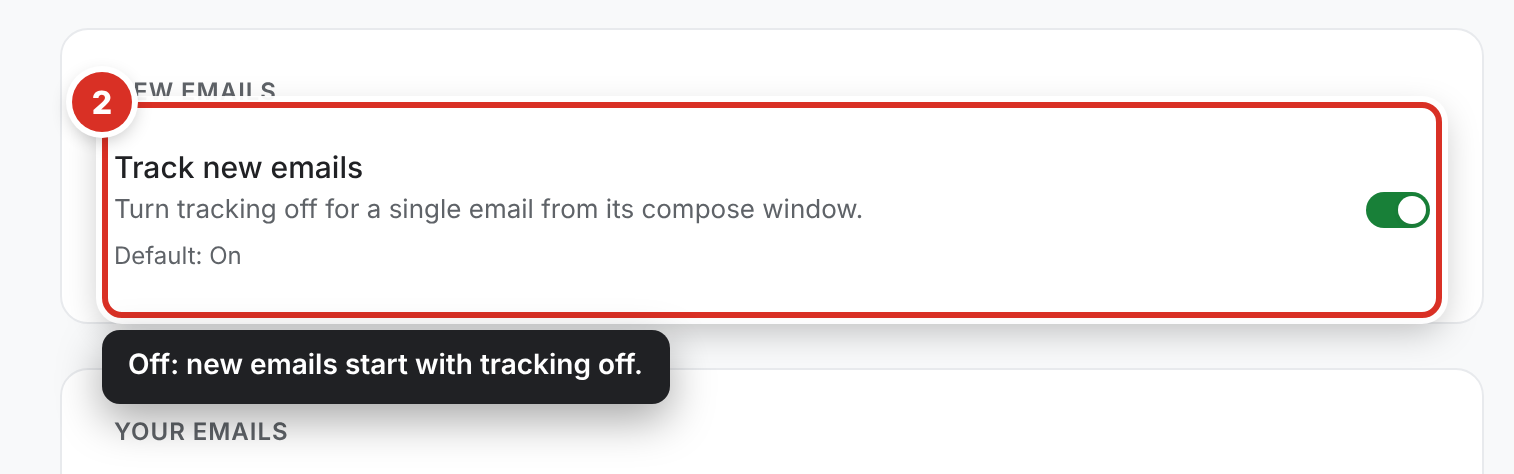
New emails then start with tracking off; use Turn on in the compose window for the ones you want to track. The switch in the toolbar popup does the same thing.
Still stuck? Email [email protected].